How to Print 3x4 Pocket Cards for Scrapbooks
Pocket page albums mix 4x6 pockets with smaller 3x4 ones. Any lab prints 4x6, but few offer 3x4. Two 3x4 cards fit on one standard 4x6 or 5x7 sheet, so you can print them there.
Updated
Two ways to print 3x4 cards
| Sheet | Good for | Cuts |
|---|---|---|
| Two 3x4 photos on 5x7 | Any printer or lab. A half-inch margin keeps every edge safe. | Trim the margin around both cards |
| Two 3x4 photos on borderless 4x6 | Printers that print borderless, and the cheapest lab print size. | One cut down the middle |
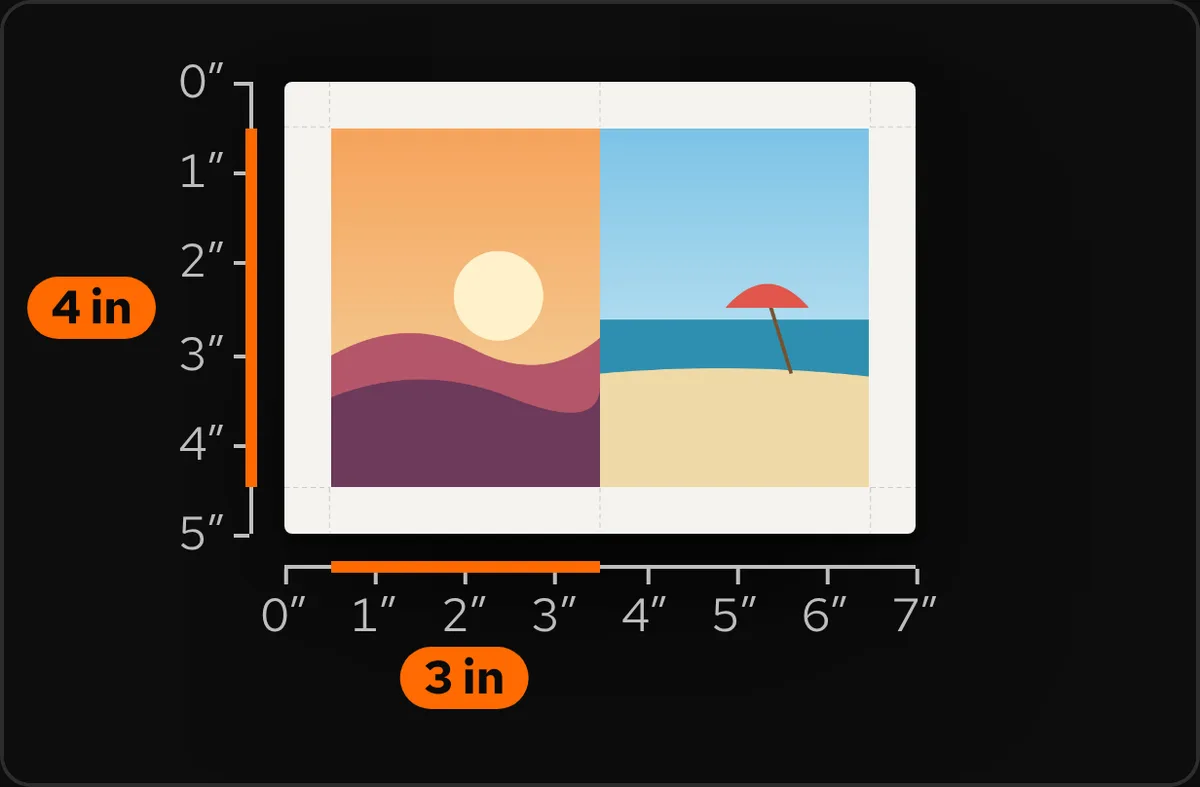
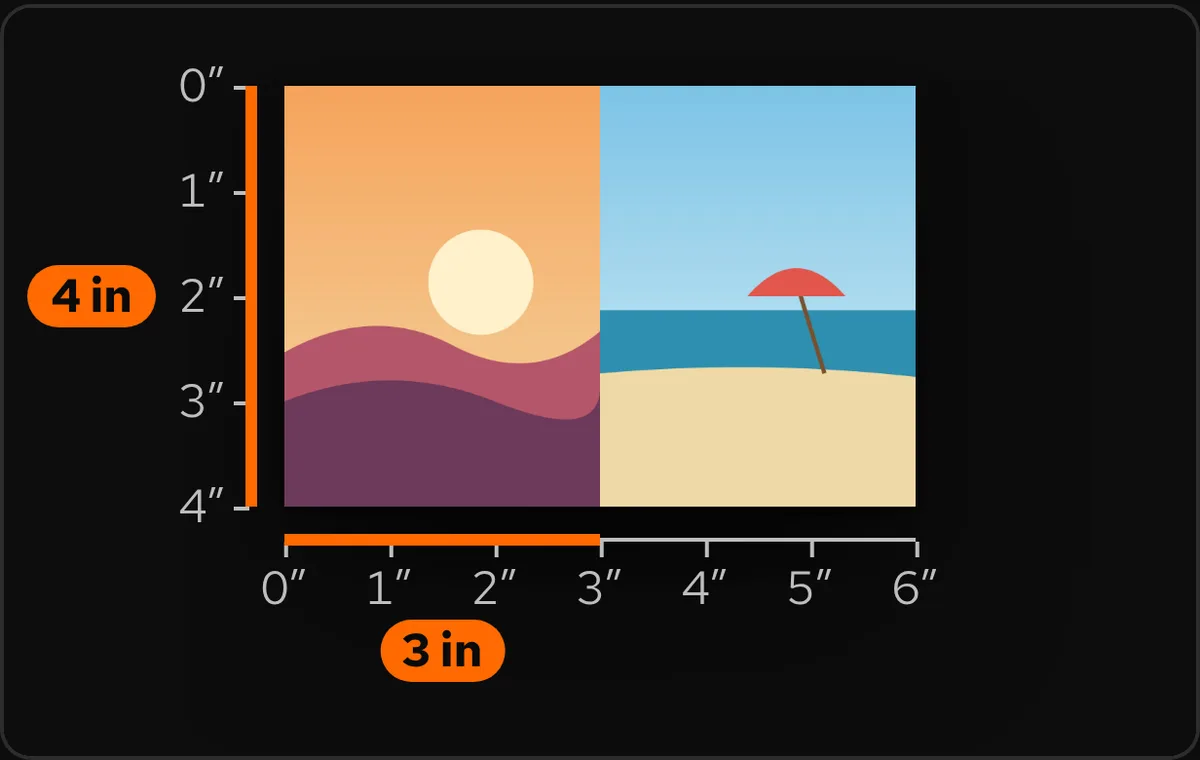
Two 3x4 cards side by side make exactly 6x4, so the 4x6 sheet has no waste. That also means the photos run to the paper edge: a home printer that keeps a margin will cut them off, and a lab may trim about 1 mm from their outer edges. If either worries you, use the 5x7 sheet.
Step by step
- Pick a sheet above and add two photos. Portrait and landscape photos both work; edit the Crop Position to choose what stays inside the 3x4 frame.
- For a blank journaling card, leave one Slot empty. It prints as a blank 3x4 space with Cut Guides around it.
- Download the free test print, which has a “TEST PRINT” mark, and print it at actual size. Check one card against a pocket before you pay for the clean version.
- Print on photo paper at home, or order the JPG from a lab as a normal 4x6 or 5x7 print.
- Cut along the Cut Guides and slide the cards in.
The Print Instructions cover printer settings and what to choose when ordering from a photo lab.
Fitting a photo into 3x4
Phone photos are usually 3:4 already, so they fill a 3x4 card with little or no cropping. Photos from a camera are often 2:3 and lose a strip from the long side. Check faces near the edges before printing.