Baby Book Photo Sizes
Many modern baby books leave small square photo spaces, often 3x3 or 4x4 inches. Photo labs and drugstores print 4x6 and 5x7 but rarely squares, so a normal print either won't fit or has to be trimmed by eye. Place the photos on a standard sheet instead, and cut them out.
Updated
Measure the photo space first
Measure each photo space in your book with a ruler, in inches. Books differ, even within one brand, so the cover size won't tell you.
- If the photo is glued onto a printed box, print it at the box size.
- If it slides behind a cut-out window, measure the opening and print a little bigger so no edge shows. A 2¾-inch window takes a 3x3 photo.
- If a page has spaces of different sizes, note each one. You can print one sheet per size.
Which sheet to print for each size
| Photo space | Print it as |
|---|---|
| 3x3 square | Two 3x3 photos on borderless 4x6, or Two 3x3 photos on 5x7 |
| 4x4 square | One 4x4 photo on 5x7, or A 4x4 plus two 2x2s on borderless 4x6 |
| 2x2 square | Six 2x2 photos on borderless 4x6 |
| 4x6 or 5x7 | Order a normal print. No sheet needed. |
| Any other size | Set the exact size in the Layout Constructor |
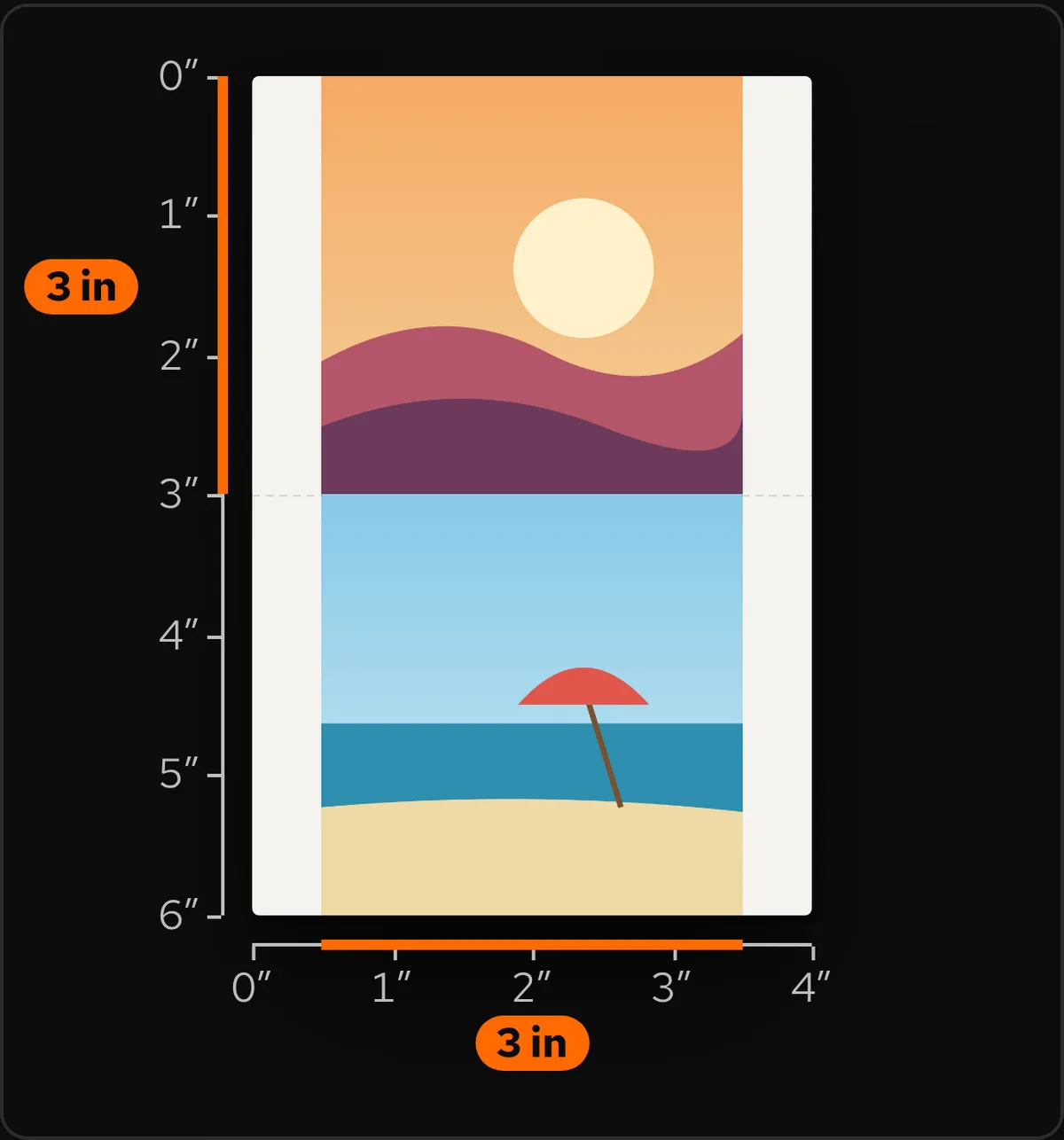
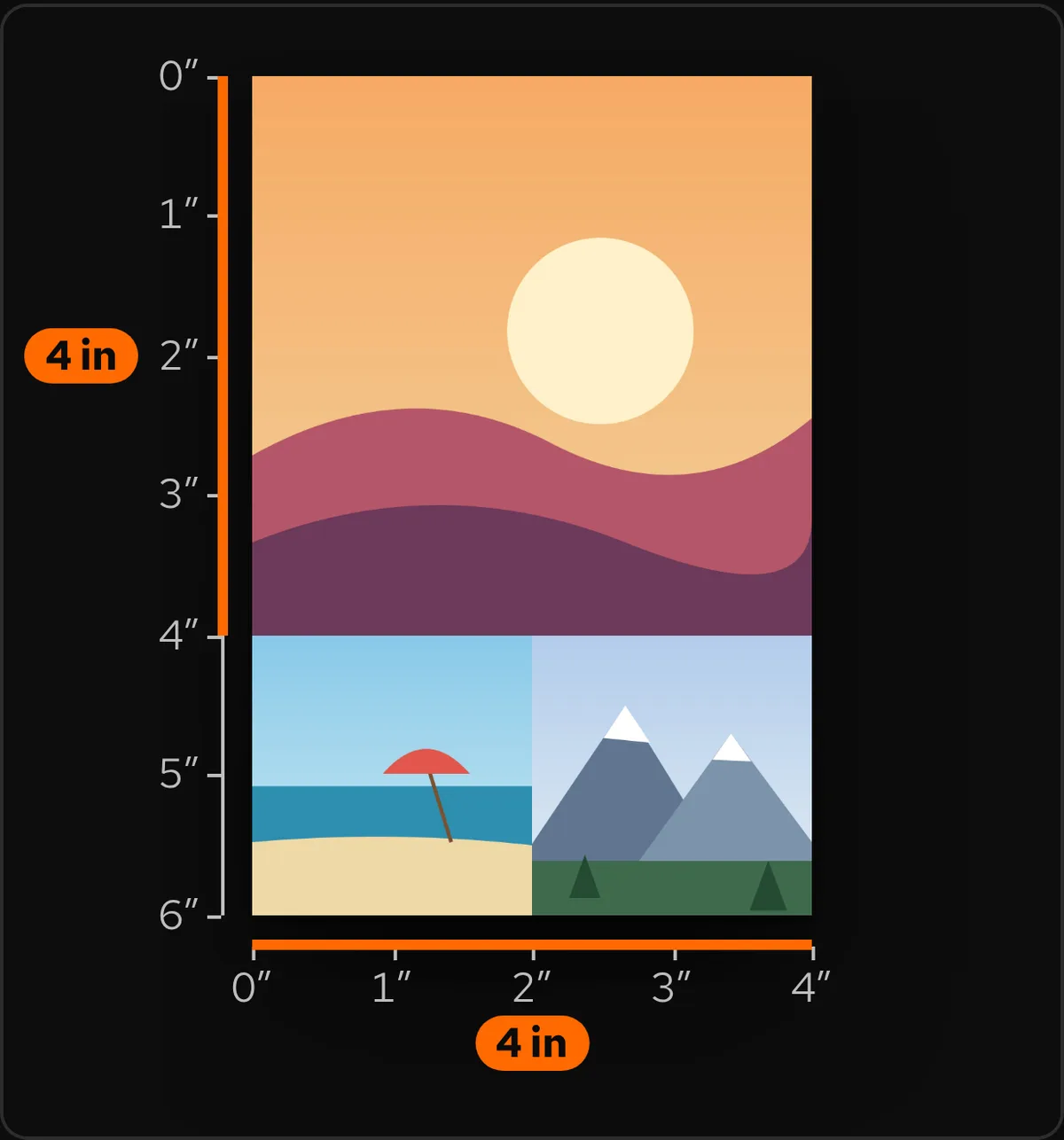
Each sheet has thin Cut Guides at the photo edges, so you know exactly where to cut. A paper trimmer gives straighter edges than scissors.
Printing at home
Load the paper size the sheet was made for and print the PDF at actual size, or 100%. “Fit to page” shrinks every photo, and a 3x3 comes out closer to 2¾ inches. The free test print has a “TEST PRINT” mark; print it on plain paper first, hold it against the book page, and only then print on photo paper. The Print Instructions walk through the printer settings.
“Borderless” sheets put photos right against the paper edge, so they need a printer that can print borderless. If yours can't, pick a 5x7 sheet, which keeps a margin all round.
Printing at a photo lab
Labs print JPG photos, not PDFs. Sheets on 4x6, 5x7 or 8x10 paper also come as a JPG at the exact shape of the paper, so you can upload it to a drugstore or online lab and order it as a normal 4x6 or 5x7 print. Keep the lab's default crop and don't add a white border.
Labs trim a hair, about 1 mm, off the outer edge of a print. A photo that touches the paper edge can lose that sliver; photos with a margin around them keep their full size. See ordering from a photo lab for the settings at common labs.